
Online Booking & Job System Guidelines
A quick, easy guide to booking, registering, and managing your jobs with Foxtone.

Agent Register
1. Please input your agent details
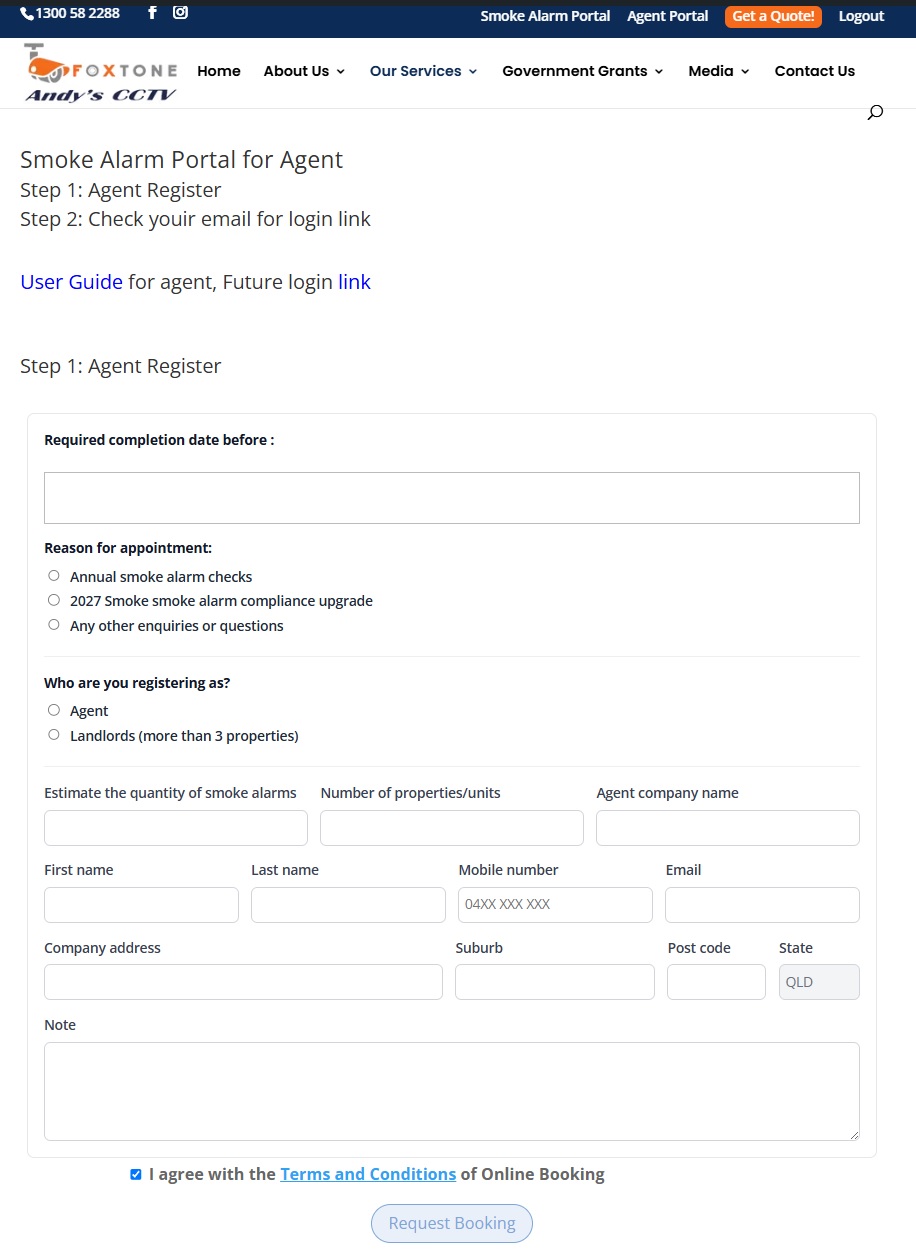
2. Please feel free to input your questions or concerns in the note column.
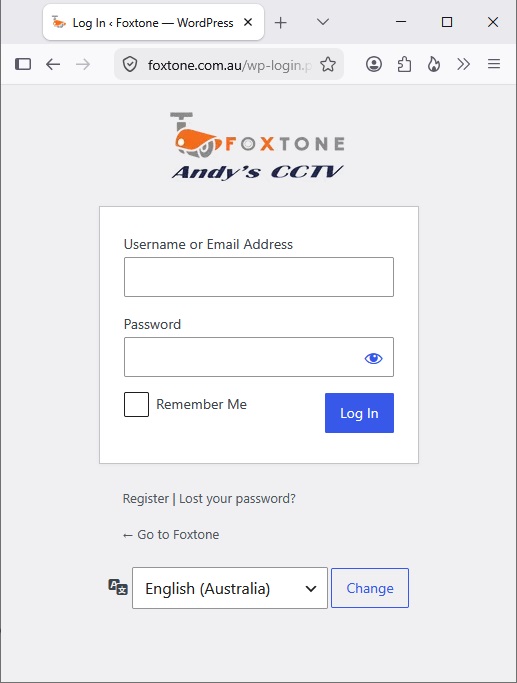
Login
1. Please check your email, we have sent your password to your email account.
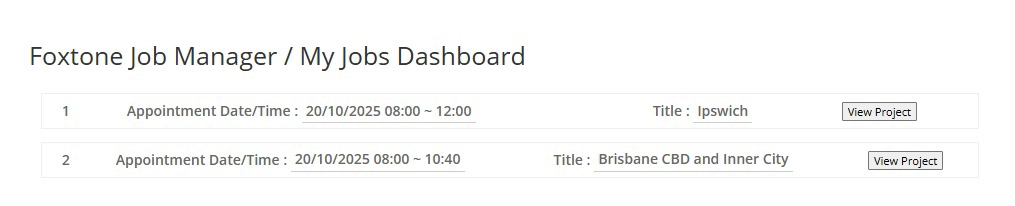
How to Update your Job List
Once you’ve registered and logged in, you’ll be redirected to your Job List page. On this page, you’ll see your booking details displayed.
1. Locate the booking you wish to manage.
2. Click View Project next to the selected job to open or update your request.
After clicking View Project on your selected booking, you’ll be redirected to the Job Details page, which looks like this:
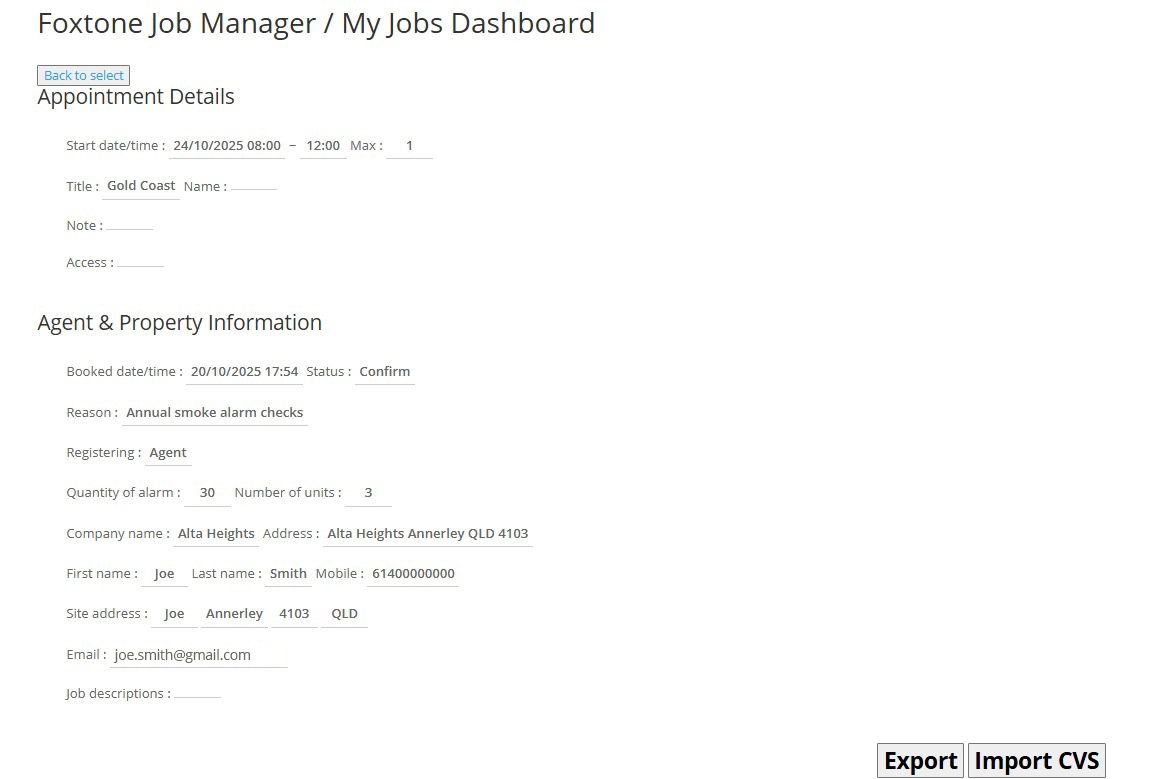
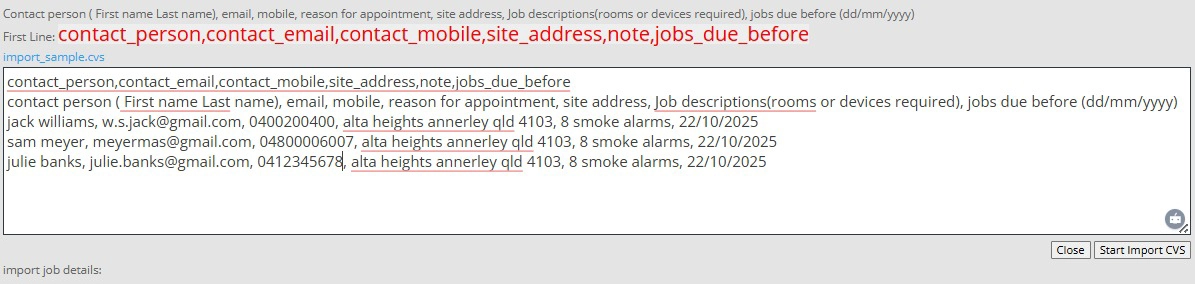
1. To add contact person information, click “Import CVS” to upload your contact details.

2. In the CSV input field, enter the following format: Contact_person,contact_email,contact_mobile,site_address,note,jobs_due_before (e.g., jack williams, w.s.jack@gmail.com, 0400200400, alta heights annerley qld 4103, 8 smoke alarms, 18/10/2025)
These details represent the tenant or homeowner information related to the booking.

3. You can also add multiple contact persons by entering one contact per line in the same format.
4. After entering all contact details, click Start Import CVS.
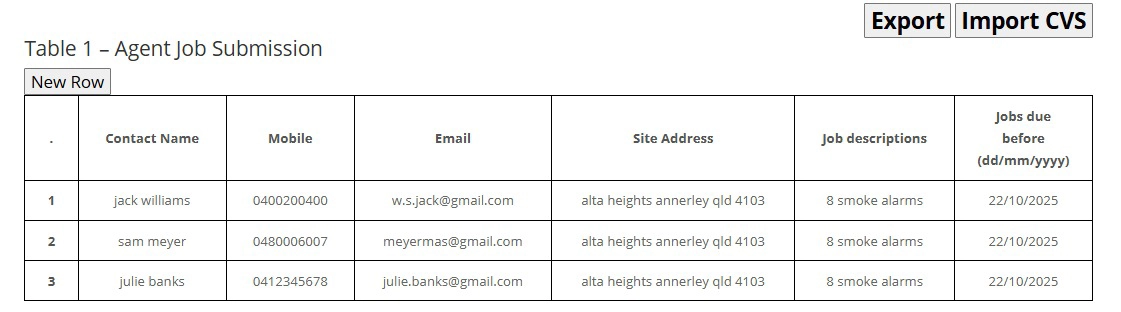
5. Once confirmed, the system will automatically insert the information into your tables:
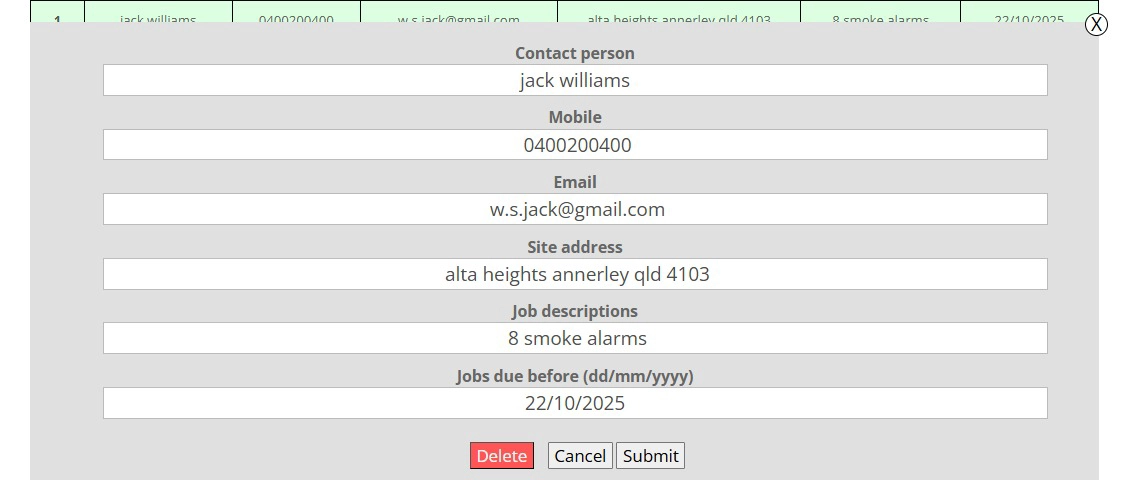
6. You can also edit contact and job details. Hover your cursor over the row you want to edit — it will be highlighted in green. Click on it, and an edit window will appear.
Make sure to specify the due date correctly. If it shows as N/A, update it using the format dd/mm/yyyy (e.g., 18/10/2025).
7. After the job is completed, Foxtone Andy’s team (the service provider) will update Table 2 – Foxtone Service Report with job details such as:
- Service photos
- Work completion status
- Additional notes or updates about the performed service
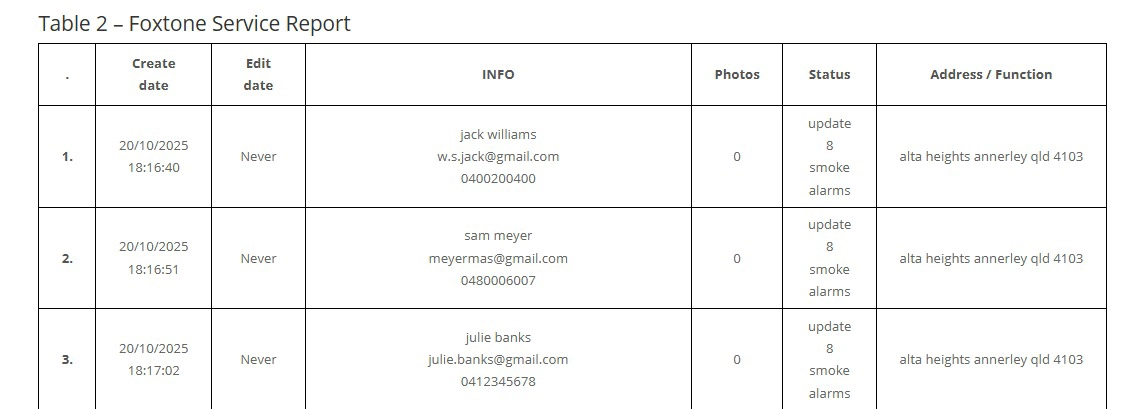
This ensures both agents and the Foxtone team have an accurate, transparent, and up-to-date record of all job activities. All updates made by the service team will be visible in your dashboard once completed.
That’s it! You’ve successfully learned how to book, register, and update your job details.
If you encounter any issues or need assistance, please contact us at 1300 58 2288 — our team will be happy to help.
